Complete Image Processing Suite for SSC, Railway & Government Exams
This professional toolkit provides 11 specialized image processing tools designed for SSC, Railway, UPSC, Banking, Police, and government recruitment applications. Each tool is optimized for specific requirements like photo resizing, signature adjustment, format conversion, and more. Everything works directly in your browser without installing any software.
🖼️ Tool 1: Resize Image Online Free
The resize image tool lets you adjust photo dimensions to exact pixel requirements. When applying for SSC, Railway, or Banking exams, forms often require specific sizes like 200x230, 350x450, or custom dimensions. Enter your target width and height, adjust quality, and download instantly.
Best For: Adjusting photo dimensions for exam forms, resizing large images, creating thumbnails
📦 Tool 2: Compress Image Below 50KB
This intelligent compression tool automatically reduces your image file size to meet strict requirements. Many government forms require photos below 50KB, 20KB, or other limits. The tool iteratively adjusts quality until the target size is achieved.
Best For: SSC forms, Railway applications, meeting file size requirements, reducing upload times
✍️ Tool 3: Signature Resize Tool
Specialized for signature images with preset sizes: 140x60 (SSC Standard), 300x80 (Railway), and 200x60 (Banking). The tool ensures your signature meets exact dimensions and file size requirements, automatically compressing to stay below the KB limit.
Best For: SSC CGL/CHSL signatures, Railway NTPC forms, Banking exam applications
📸 Tool 4: Passport Size Photo Maker
Create passport-size photos with standard dimensions: 200x230 (SSC/Railway), 350x450 (Passport), 300x400 (Visa), 240x320 (UPSC), and 600x600 (Square). Choose background color or keep original. The tool maintains aspect ratio and compresses to your target file size.
Best For: Passport applications, Visa photos, government exam forms, ID photos
🔄 Tool 5: JPG to PNG Converter
Convert JPG/JPEG images to PNG format with transparency support. PNG format is preferred for images requiring transparency or when higher quality is needed without compression artifacts.
Best For: Logos, graphics requiring transparency, high-quality image preservation
🔄 Tool 6: PNG to JPG Converter
Convert PNG images to JPG format for smaller file sizes. Select background color for transparent PNGs (white, black, red, blue). Control quality with slider. JPG files are smaller and widely accepted in most applications.
Best For: Reducing file sizes, meeting JPG-only requirements, converting screenshots
🔄 Tool 7: JPG to WebP Converter
Convert JPG images to modern WebP format for superior compression. WebP provides 25-35% better compression than JPG while maintaining similar quality. Ideal for web use and modern applications.
Best For: Website optimization, reducing bandwidth, modern app uploads
🔄 Tool 8: WebP to JPG Converter
Convert WebP images back to widely compatible JPG format. Many forms and systems don't accept WebP, so this tool converts them to universal JPG format with adjustable quality.
Best For: Compatibility with older systems, uploading to forms requiring JPG
🔃 Tool 9: Rotate Image Tool
Rotate images by 90°, 180°, 270° or flip horizontally/vertically. Perfect for correcting orientation issues from mobile photos or scanned documents. One-click rotation with instant preview.
Best For: Fixing mobile photo orientation, correcting scanned documents, flipping images
📚 Tool 10: Bulk Image Compressor
Process multiple images simultaneously. Upload multiple files, set quality and max width, then compress all at once. Each image gets individual download button. Huge time-saver for processing many photos.
Best For: Multiple form sections, family photos for applications, batch processing
🌫️ Tool 11: Blur Image Tool
Apply blur effect to images for privacy or aesthetic purposes. Adjustable blur strength from 1-20 pixels. Perfect for hiding sensitive information, creating background effects, or anonymizing photos.
Best For: Privacy protection, hiding personal information, artistic effects
Why Choose This Professional Image Suite?
- All-in-One Solution: 11 tools in one place, no need for multiple websites
- Zero Installation: Works directly in your browser on any device
- Completely Free: No subscriptions, no hidden costs, unlimited use
- Privacy Focused: All processing happens locally, no server uploads
- Mobile Friendly: Responsive design works on phones and tablets
- Professional Quality: Advanced algorithms maintain image quality
- Fast Processing: Instant results, no waiting for server processing
- No Watermarks: Clean output without branding or watermarks
No Need to Install Any Software
Many websites ask you to download software to resize images. But this tool works completely online. You do not need Photoshop, MS Paint, or any editing app.
- No software installation
- No registration required
- No technical knowledge needed
- Works on mobile and desktop
This is very useful for students who are filling out SSC, Railway, UPSC, State PSC, Police, or other recruitment forms.
How to Resize Photo for SSC Form
When applying for SSC exams, photo size and signature size are strictly mentioned. Follow these steps:
- Upload your photo
- Enter required width and height (for example 200x230)
- Adjust compression level to reduce file size
- Click “Resize & Compress”
- Download the new image
If the form says “Photo should be below 50KB”, reduce compression slightly until file size matches requirement.
Resize Image for Railway Application
Railway recruitment forms usually require specific dimensions and small file size. Many students face rejection because of incorrect photo format.
Using this resize image online free tool, you can:
- Adjust photo width and height
- Reduce file size below required KB
- Download JPG or WebP format
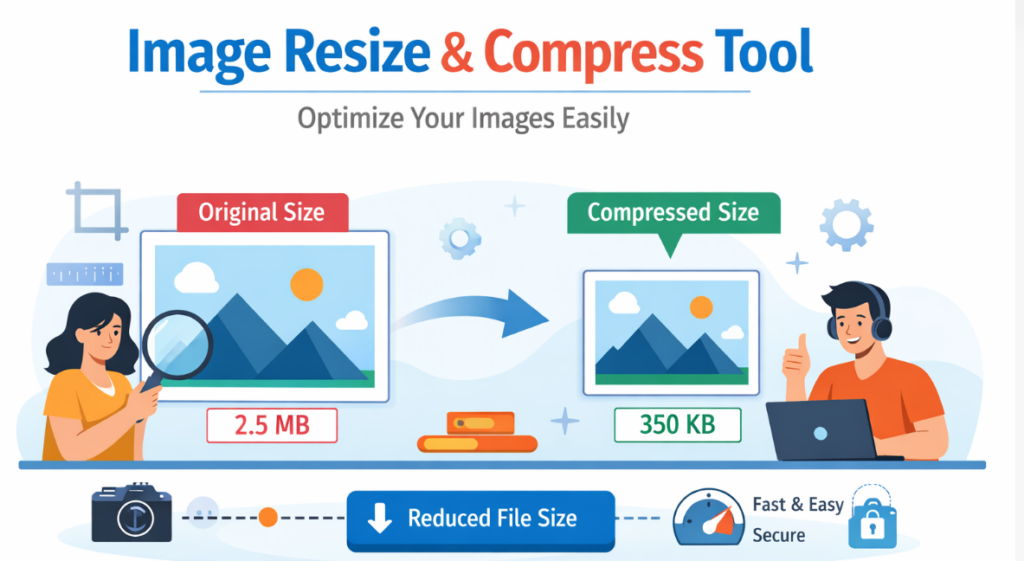
- Check original vs compressed size
Common Image Requirements in Government Exams
- Photo size below 20KB / 50KB / 100KB
- Signature below 10KB / 20KB
- Specific pixel size (like 200x300)
- Only JPG format allowed
This tool supports JPG, JPEG, PNG and WebP formats, making it perfect for exam applications.
Why Students Prefer Online Image Resizer
Students preparing for competitive exams do not want to waste time installing heavy software. Online tools are faster and easier.
- Quick process (less than 10 seconds)
- Mobile friendly
- No watermark
- Safe and secure
Is This Tool Safe for Personal Photos?
Yes. This tool works fully inside your browser. Your photo is never uploaded to any server. Everything happens on your device.
This is very important when uploading passport size photos for official forms.
Step-by-Step Training for Beginners
If you are new and don’t know how to resize image online free, follow this simple training:
- Open this page
- Click upload and select your photo
- Enter required size mentioned in form
- Move compression slider
- Click download
- Upload resized photo to exam form
That’s it. Simple and fast.
Benefits for SSC, Railway & Other Exam Candidates
- Avoid application rejection
- Save time
- No technical skills needed
- Completely free
- Works anytime
Conclusion
If you are searching for resize image online free for SSC form, railway application, police recruitment, or any government exam, this tool is the perfect solution. It helps you reduce image size, adjust dimensions, and meet official requirements without installing software.
Use this tool before submitting your exam form to ensure your photo and signature meet all requirements.